Template Library
The Template Library is a feature that allows an administrator on a main sender profile to create email templates and share them with users on sub sender profiles within the same account.
Think of it as a company-wide template catalogue. Someone at the top creates and maintains the approved templates, and everyone else can pick from them and use them as a starting point.
How it works
There are two types of sender profiles in EUmail: a main profile and one or more sub profiles — all belonging to the same account.
- The main sender profile is the top-level profile for the account. Admins here are responsible for creating shared templates.
- Sub sender profiles are the individual profiles under the main. Each sub profile has its own users, templates, and settings.
Step 1 — Admin creates a template on the main profile
The admin logs in under the main sender profile and creates a template using the normal template editor. At this point the template is private and only visible to the main profile itself.
Step 2 — Admin makes the template public
Once the template is finished and has been published (i.e. it has an active version), the admin can share it by changing its visibility to public.
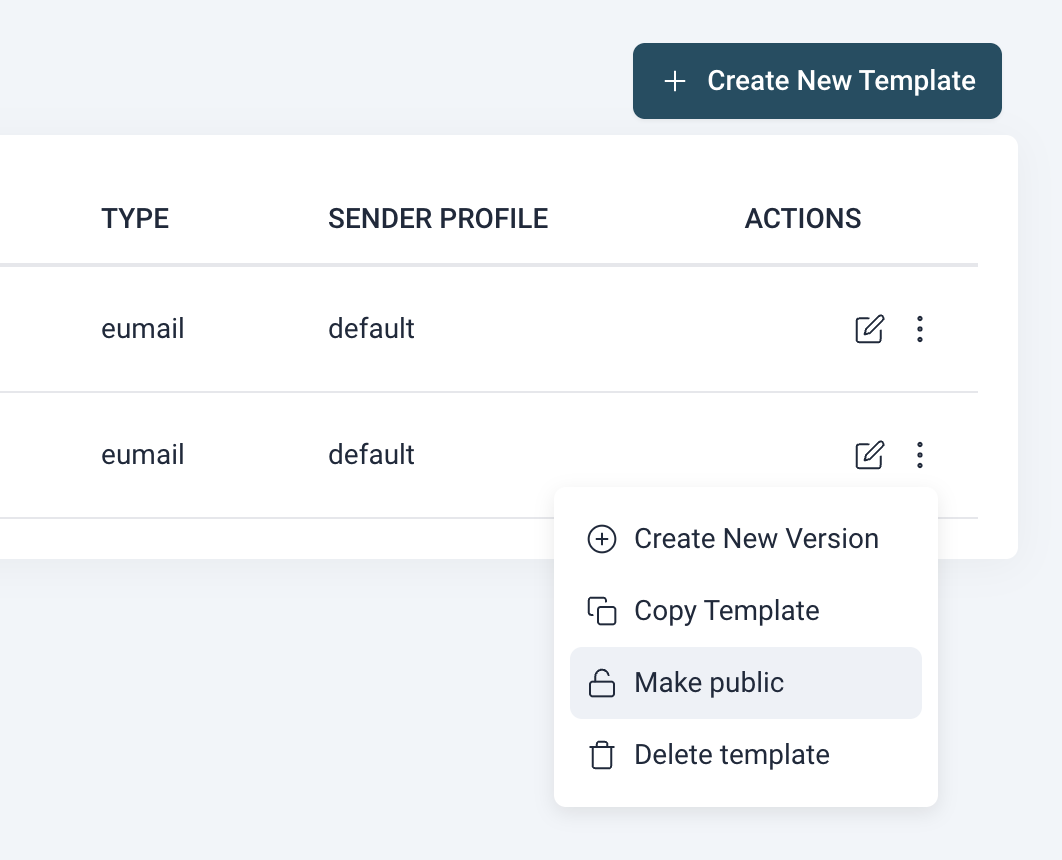
A template must have an active, published version before it can be made public. You cannot share an empty or unpublished template.
Step 3 — Sub profile users browse the library
Users logged in under a sub sender profile can now open the Template Library page. This page shows all templates that the main profile has made public, displayed as cards with a preview of what the email looks like.
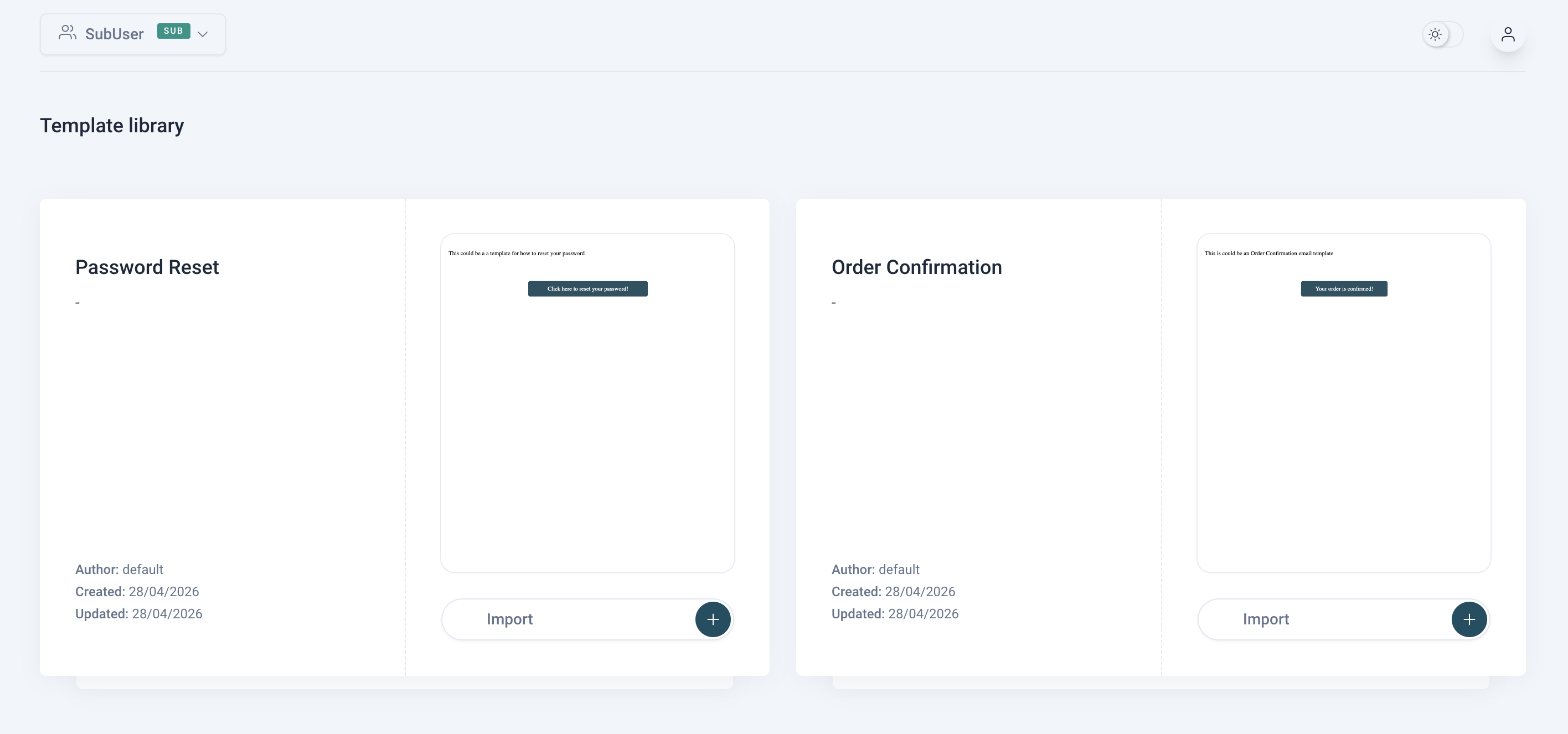
Each card shows:
- The template name
- A description
- Who created it (the name of the main sender profile)
- When it was created and last updated
- A live scaled preview of the email design
The library loads more templates automatically as you scroll down.
Step 4 — Import the template
When a user finds a template they want to use, they click the Import button on the card. This creates a private copy of the template inside their own sub sender profile.
After importing, the user is taken to their own template list where the copy now appears with the name of the original template followed by “-copy”.
The copy is fully independent
Once imported, the copy belongs entirely to the sub profile. The user can edit it, rename it, or delete it without affecting the original on the main profile. Equally, if the admin on the main profile later edits or removes the original, any already-imported copies are left untouched.
Problems or questions?
If you have any problems or questions then please don’t hesitate to contact our support at support@mandaa.io
. Support on getting started is FREE!